Put Guardian in front of the step that cannot be undone.
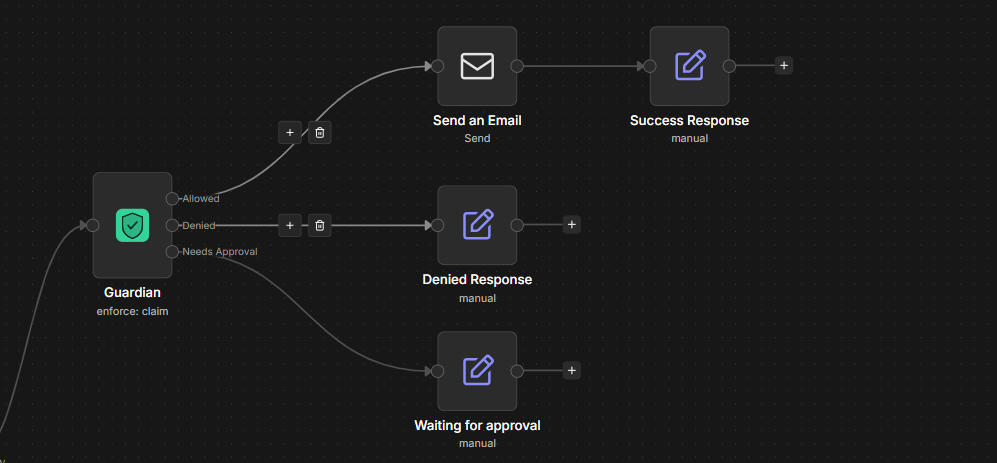
Guardian judges an action before it happens, and your workflow does the work. Guardian never sends, deletes or pays anything itself. It answers one of three ways, and keeps a record of every answer.
The action may run. Connect this output to your action node.
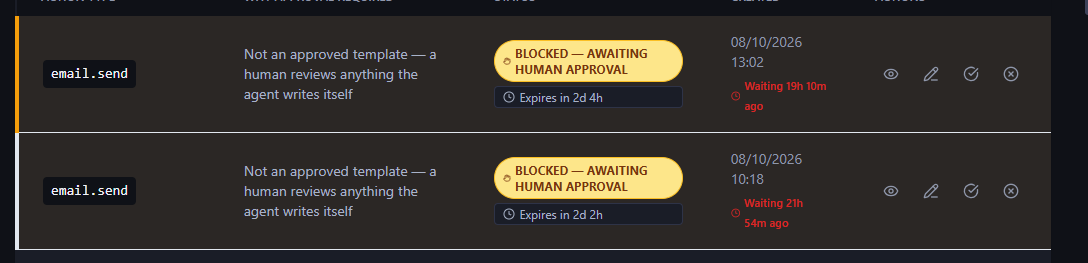
A human decides first. The workflow waits.
Nothing runs. The attempt is recorded.
The integration, in four steps
- Place the Guardian node right before the action node (the send, the delete, the payment), after the step that produces the values.
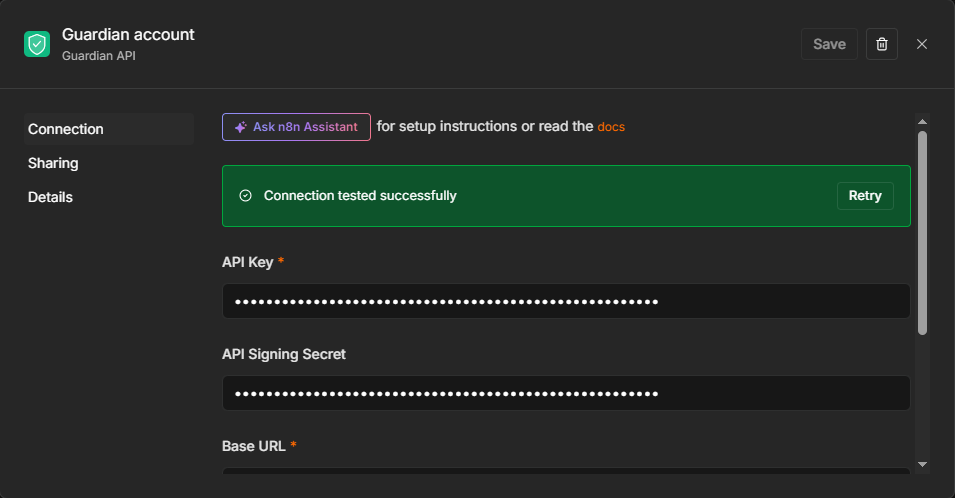
- Fill two fields. Action Type is a name you choose, such as
email.send. Payload is the JSON with the fields your policy will check, using the same field names as the policy. The credential needs an API key from the dashboard under Settings, plus the signing secret and base URL it asks for. - Wire the three outputs. Connect Allowed to the action node. Leave Denied and Needs Approval pointing at a note or at nothing. Never connect all three to the action.
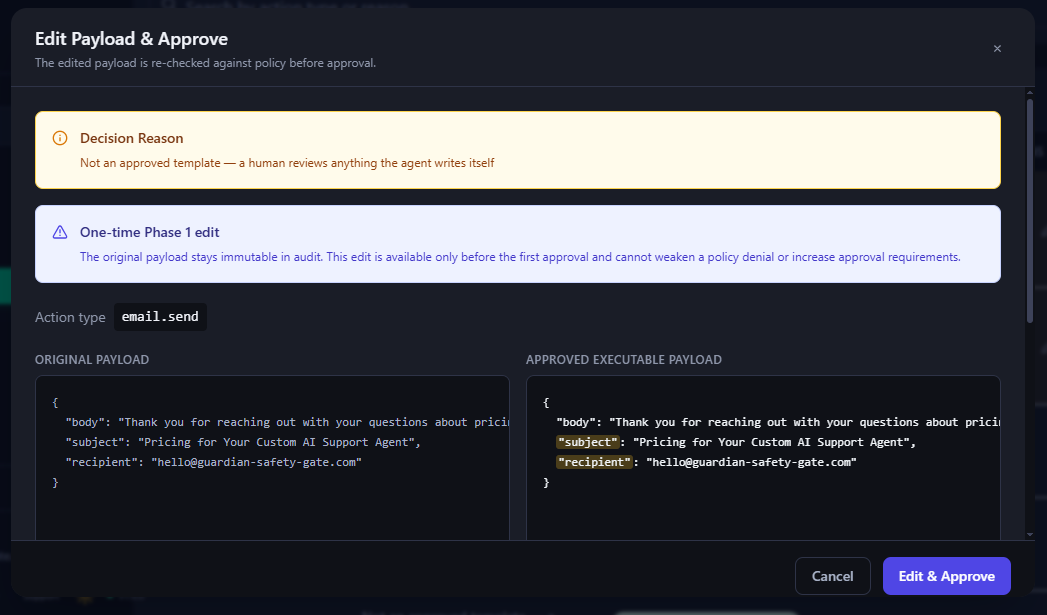
- If you use Needs Approval, add the approval path: Guardian Approval Trigger, then a Guardian node set to Enforce, then the action node. The action node reads the approved payload from the trigger's
payloadJson, which holds the edited version when the approver changed it. The workflow must be active, and only one active workflow should listen for the same action type.
Example payload for an email, where a text value from an AI step is wrapped in JSON.stringify so line breaks cannot break the JSON:
{
  "recipient": "customer@example.com",
  "subject": {{ JSON.stringify($json.output.subject) }},
  "body": {{ JSON.stringify($json.output.body) }}
}
Policies
An action type with no matching policy is denied by default, which is an org setting. Inside a policy every rule is evaluated and the strictest result wins. A threshold rule fires only when it matches, so the exact boundary value needs its own rule. A typo in a field name makes a rule silently dead, so run every policy through the Policy Tester with the real payload before you rely on it.
Test safely
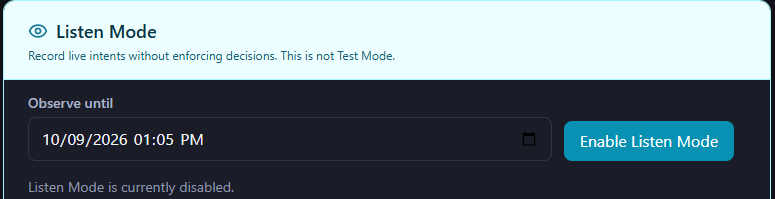
Listen Mode records every request with its real payload and shows what your current policies would have decided, as "Would have: DENY (advisory)". It blocks nothing. You switch it on in the dashboard under the Organization tab, with a duration. The workflow continues through Allowed, and the action runs.
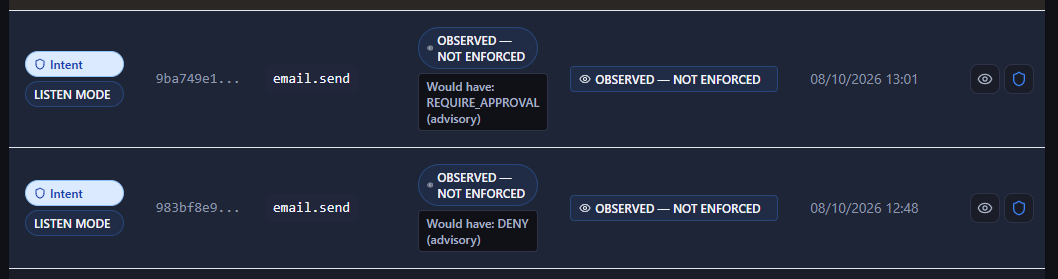
For a first run on a destructive step, disable the action node (select it and press D). A disabled node passes data through without acting. Then open the audit row of the observed run and use "Create policy from captured intent" to build the policy from the real payload.
Common first-run surprises
| What you see | Why, and the fix |
|---|---|
| The first result is DENY | No policy matches the action type. Build one from the captured payload in Listen Mode. |
| A rule never fires | The rule's field name differs from the payload's, often a typo. Check it in the Policy Tester. |
| The action ran in Listen Mode | Listen Mode never blocks. Disable the action node while testing. |
| Subject or body is empty after Guardian | The Allowed output carries Guardian's data, not your earlier node's. Read the values from that node, for example $('Basic LLM Chain').first().json.output.body. |
| An amount rule sees 0 | In node versions before 1.0.9 the Amount field defaults to 0 and can overwrite the payload's amount. Update the node, or put {{ $json.amount }} in the Amount field. |
| An email goes out twice after an approval | Two active workflows listen for the same action type. Keep one active. |
What Guardian does not do yet
- The tamper-evident chain covers the submitted request and the decision. The approver, the approval time and status, and an edited payload are stored and fingerprinted, but not yet part of the chain.
- The chain is verified inside Guardian. A customer-held anchor for independent verification does not exist yet.
- Listen Mode results are advisory and not tamper-evident.
- A per-action setting for what happens when Guardian is unreachable is planned, not built.
Questions or stuck
Write to us. A person reads it.